
AZWARE
The Aim Codex of Azrion Vienhart
Tell it how you play and what goes wrong. Azware turns that into a daily 12-quest routine built from real scenarios, including Aimlabs' own official Roblox Rivals routine.
See the codex work.
One video for each version. Pick yours.
Tell it how you train.
Pick Aimlabs, KovaaK's or Mobile, then your aim level. The platform decides which real scenarios go into your routine.
Describe what goes wrong.
Type it in plain words, like "I overflick when they dash". Azware names the problem, gives advice and shifts your focus toward the skill you need.
Keyword matching, no AI, works offline.
Get today's 12 quests.
Split across flicking, switching and tracking in your exact ratio, in the same order as Aimlabs' official routine. A new set rotates in every day.
Find your sensitivity.
Seven rounds of "lower or higher?". It uses the same algorithm as the popular online PSA calculators, and the result is your Rivals Sensitivity %.
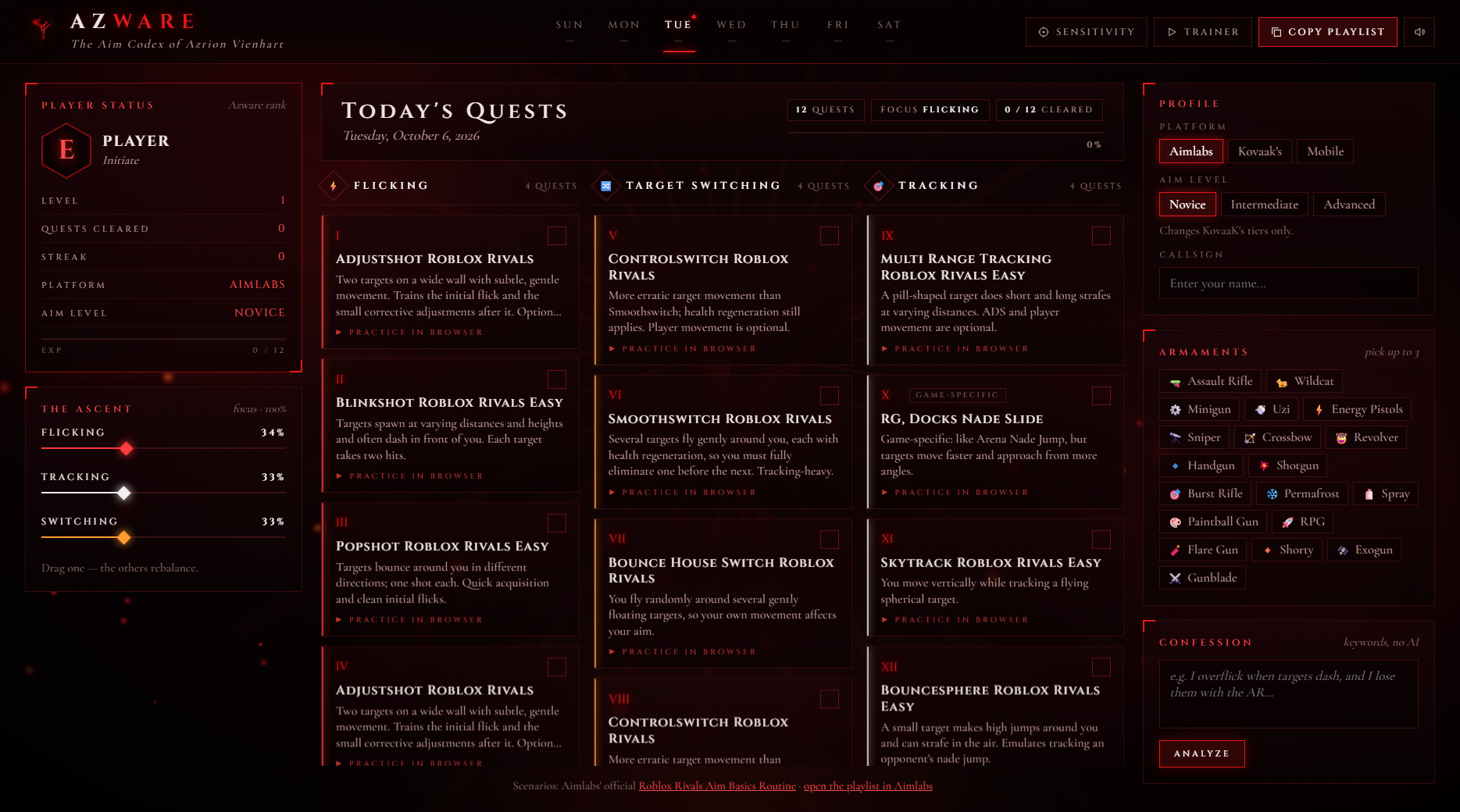
Try the demo.
Get a taste in your browser: browse today's quests, pick your platform and weapons, and play the built-in trainer. Your callsign, The Ascent and the Confession are unlocked in the full app, which is a free download below.
What it is. What it isn't.
It is
- An aim trainer / planner. It builds your routine; you play it in Aimlabs, KovaaK's or the built-in trainer.
- Built on real scenarios, including Aimlabs' official Roblox Rivals Aim Basics Routine.
- Private. No account and no tracking. Progress lives in your own browser.
- Free. No ads, no premium tier.
It isn't
- A cheat or aim assist. It never touches Roblox.
- An AI chatbot. The issues box is a keyword matcher.
- Connected to Aimlabs or KovaaK's. It lists scenario names, and you play them yourself.
- Affiliated with Roblox, the Rivals developers, Aimlabs or KovaaK's.
Two ways to train.
Same codex, built for where you play. Pick your version, then unlock it below.
Ready in a minute.
Unlock
Pick PC below, complete the steps, enter the password from the video, and the zip downloads.
Unzip
Extract it somewhere permanent, like Documents\Azware. Don't run it from inside the zip.
Open
Double-click Azware.exe. On first launch it offers to add a desktop shortcut.
Train
Set your profile, clear today's 12 quests. The gear icon switches font and colour theme.
Get Azware.
It's free. Join the community, then enter the password from the Azware video.
Join the Discord Verified
Azrion's VOID: updates, support, new drops.
Subscribe on YouTube
@7Azrion: every tool explained on video.
Follow on Instagram
@azrionvienhart: previews and drops.
Enter the password
It's in the Azware video. Case-sensitive.
FAQ.
No. It never touches Roblox. It's a training planner: it tells you which scenarios to play in Aimlabs, KovaaK's or its own browser trainer.
That SmartScreen message shows for any new app from a small creator that isn't code-signed. Click More info → Run anyway. Azware.exe is a small window that shows the Azware page (the same one you see in the demo), using Microsoft's WebView2, which comes with Windows 10 and 11.
No. Pick Mobile and Azware uses its built-in drills: flicking, switching and tracking at three target sizes.
Yes. Pick Mobile in the download box below, then your phone. Android gets the Azware app (APK): landscape and full screen, best for the trainer. iPhone gets the web app: unlock it on your iPhone, then tap Share and Add to Home Screen. Both work offline.
Windows 10 or 11 (64-bit) and Microsoft WebView2, which is built into Windows 11. On Windows 10, if it's missing, Azware tells you and opens the free download page. It's a 1.1 MB download. Mac isn't supported yet.
Run Uninstall Azware.cmd in the Azware folder. It removes the shortcuts and asks whether to delete your saved progress. Then delete the folder.
Yes, on your own device only, in your browser's storage. Clearing site data or switching devices resets it.
Different platform, level, weapons or sliders. The same inputs on the same date always give the same routine, and it rotates daily.